Figma Design System Linter
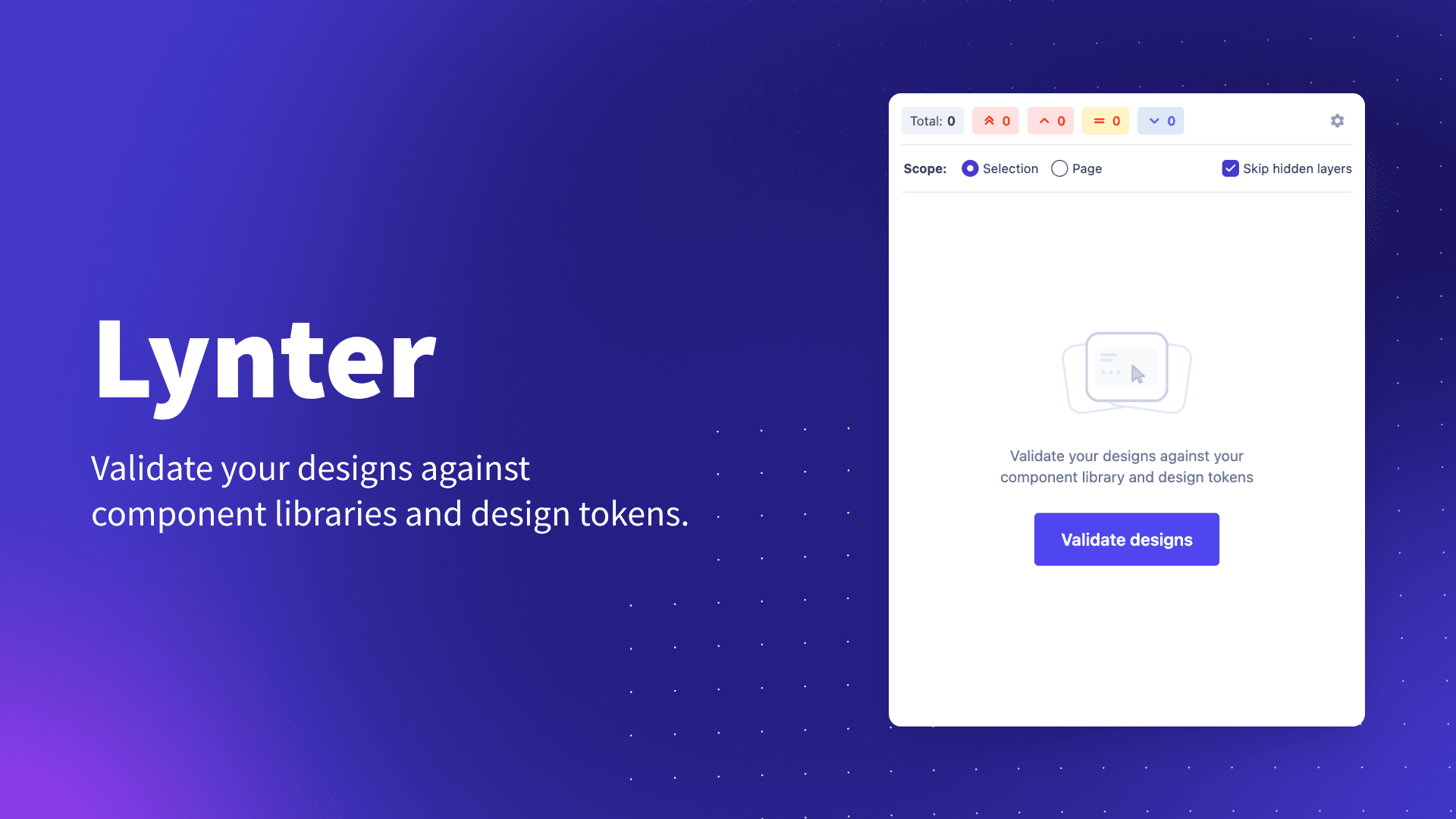
The first Figma linter that works everywhere—from design files to library source files—with intelligent severity scoring that helps designers prioritize what actually matters.
The Problem
Design systems only work when they're actually used. But adoption isn't about documentation—it's about removing friction from the designer's workflow.
Our team of 7 designers had access to a comprehensive design system, but consistency was a constant battle:
Outdated components everywhere
Designers working in files with deprecated components, missing critical updates and improvements
Manual compliance checks
Every design review became a tedious audit of spacing, colors, and component usage
Handoff friction
Developers receiving files that violate standards, creating rework and slowing velocity
Knowledge gaps
Design principles documented but not enforced—easy to forget, easier to ignore
"If design systems are tools for quality at scale, why do we still rely on manual enforcement?"
The breakthrough: automate quality checks inside the design tool, not after handoff.
The Solution
Works Everywhere
Unlike other linters limited to design files, this runs in any Figma file—including library source files where consistency matters most.
Severity-Based Prioritization
Not all violations are equal. Intelligent severity scoring helps designers focus on critical issues first, not noise.
Zero-Friction UX
One-click fix for common issues. Education embedded in warnings. Fast enough to run constantly.
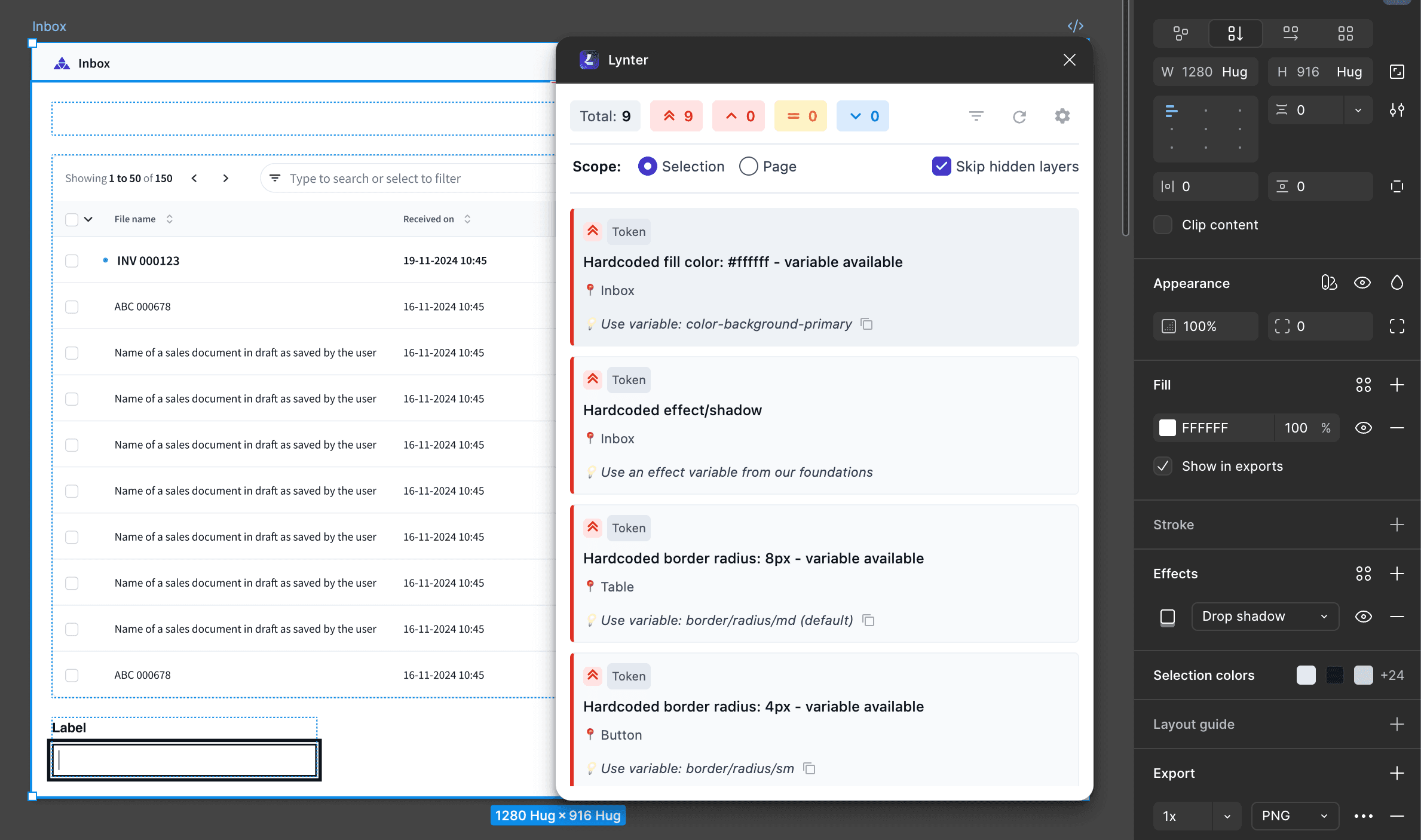
I built a Figma plugin that acts as a continuous quality guardian—scanning designs against our design system rules and surfacing issues the moment they appear. Designers get immediate, actionable feedback without leaving their canvas.
The plugin was vibe-coded in 3 days using Claude AI, turning the concept from "this would be nice to have" to "shipping to the team" in less than a week. Rapid prototyping meets production quality.
How It Works
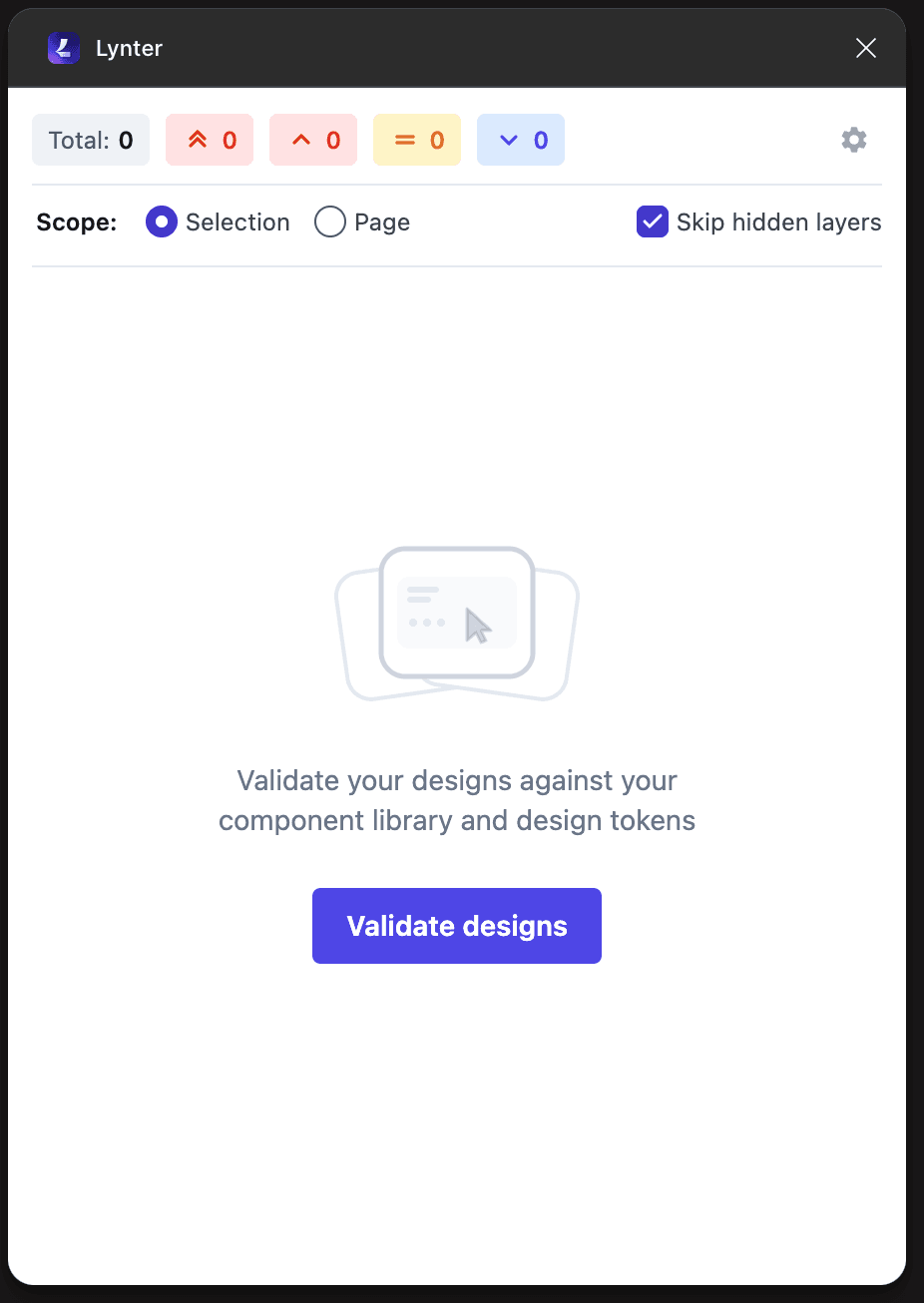
Launch & Scan
Designer opens the plugin while working on any file. The linter scans the current page, analyzing layers against design system rules.
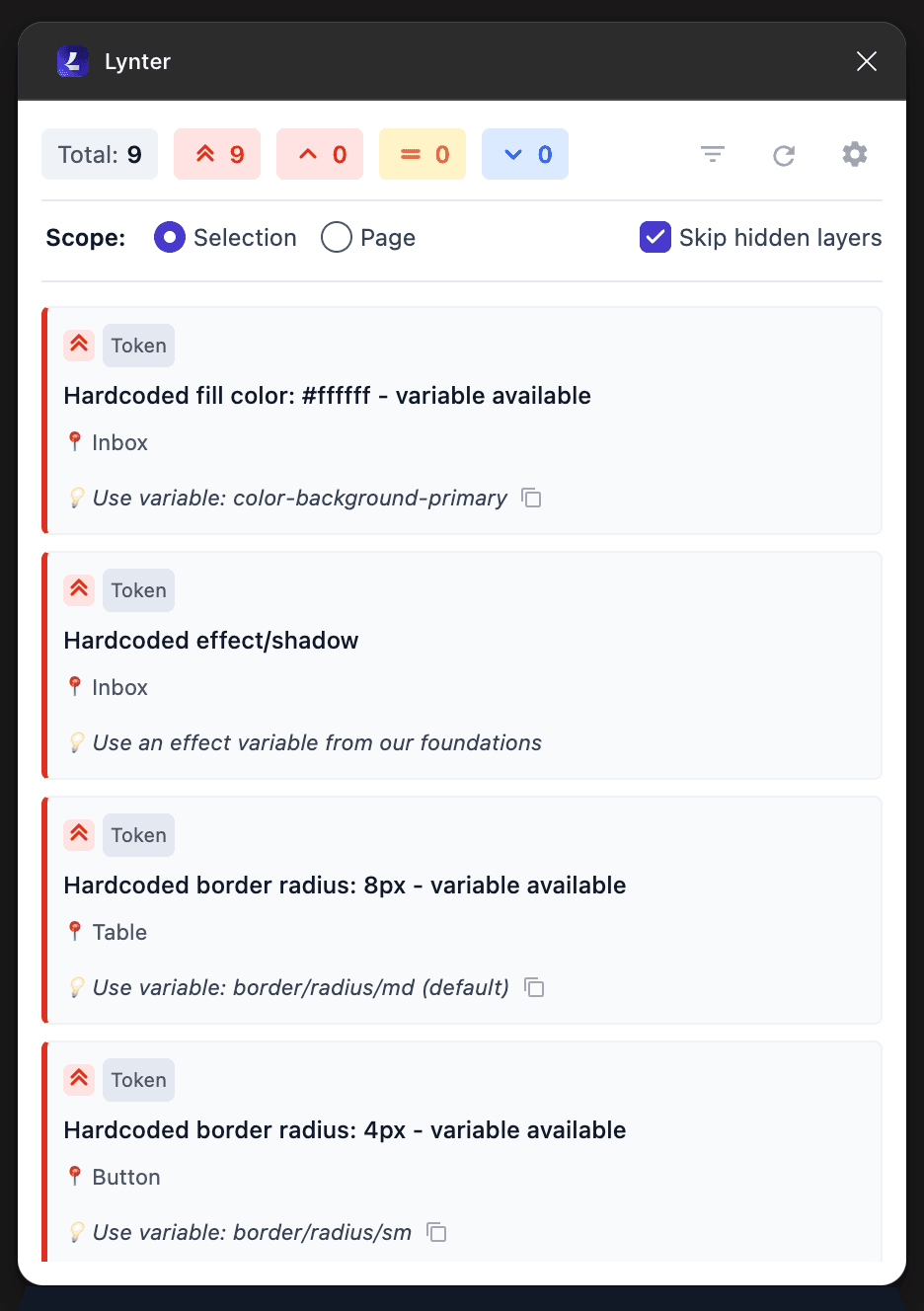
Surface Issues
Violations are surfaced with context: what's wrong, why it matters, and how to fix it. Issues are prioritized by severity.
One-Click Fixes
For common issues like outdated component instances, designers click "Fix" and the plugin updates them automatically. Complex issues get guidance.
What Makes This Different
Most Figma linters are limited to design files and treat all violations equally. This one doesn't.
Works in All Files
Runs in design files, library files, community files—anywhere in Figma. No file type restrictions.
Why it matters: Library source files are where inconsistencies start. Catching issues there prevents them from spreading to hundreds of design files.
Severity-Based Prioritization
Critical, Warning, Info—designers can filter by severity and tackle breaking issues before minor polish.
Why it matters: A list of 50 violations is overwhelming. A list of 3 critical issues is actionable. Severity scoring turns noise into signal.
Zero Configuration Needed
Works out of the box in any Figma file—no setup, no config files, no limitations.
Why it matters: No "this plugin doesn't support library files" errors. No onboarding friction. Just install and start catching issues.
Real-Time Feedback
Catch issues during design, not during handoff. Shift quality left in the workflow.
Why it matters: Designers fix violations before review, eliminating rework loops and reducing time-to-ship.
Features That Scale
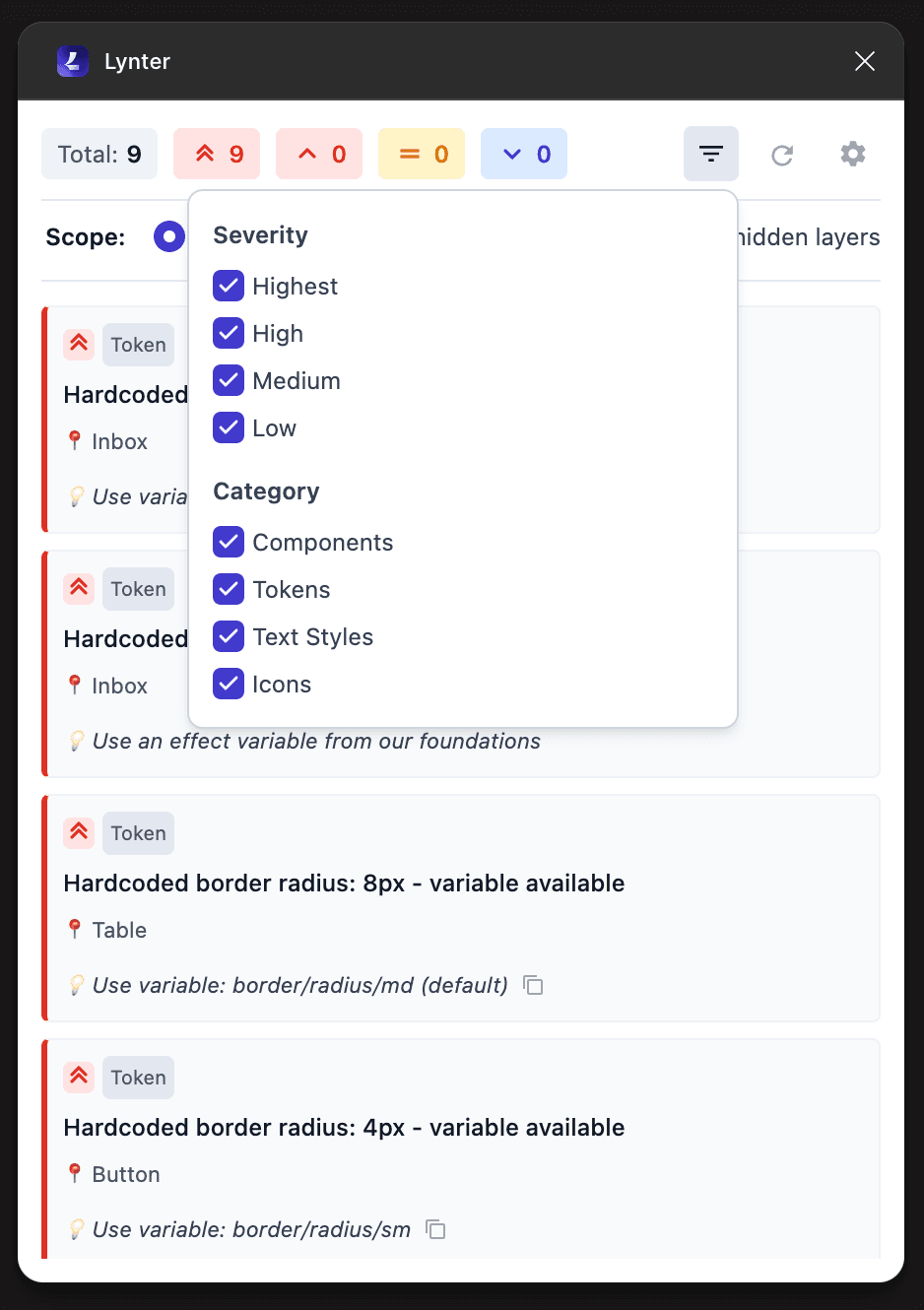
Severity-Based Filtering
Critical, warning, or info—prioritize by severity so designers tackle high-impact issues first.
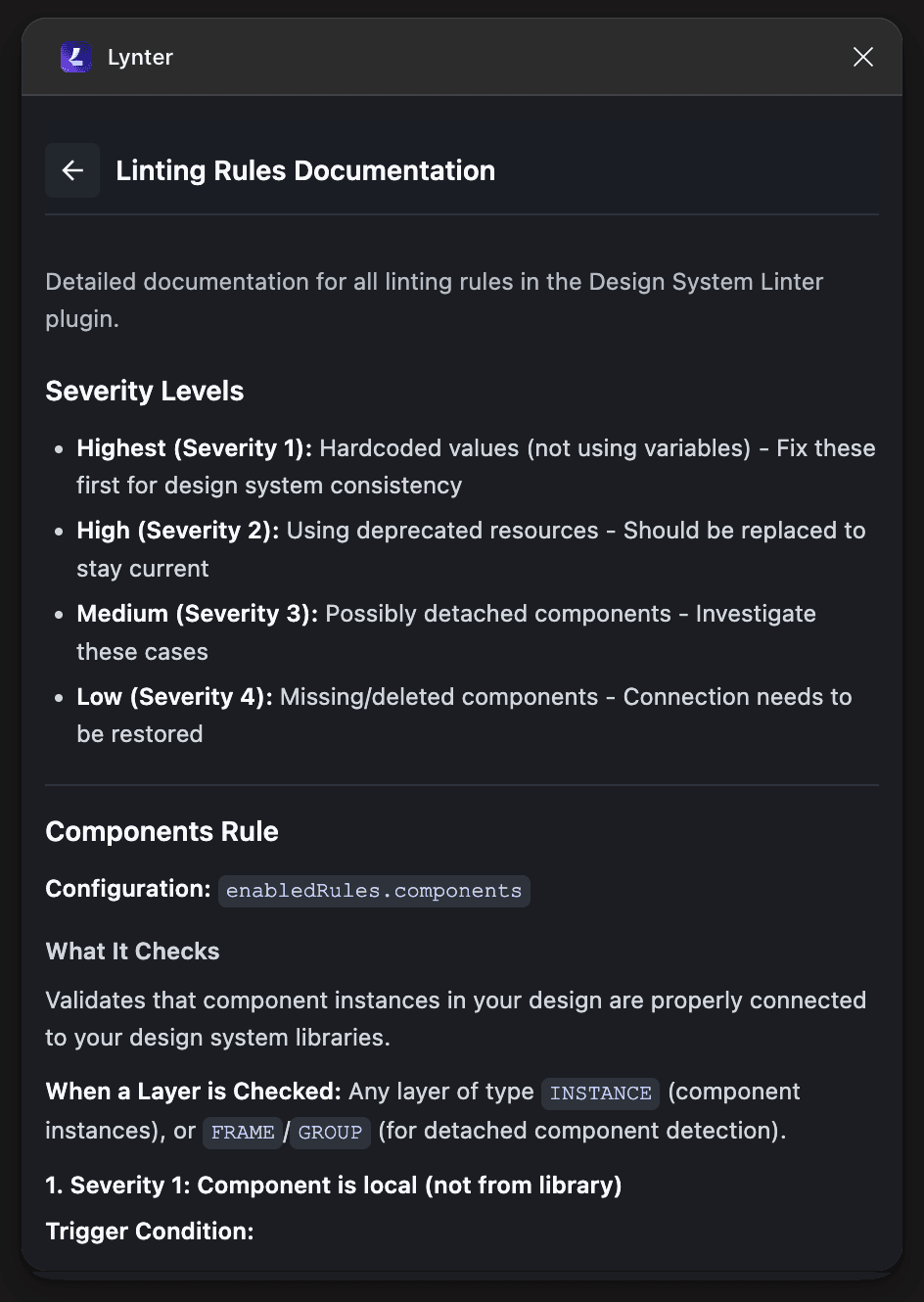
Embedded Education
Every rule includes documentation—learn why it matters and how to fix it.
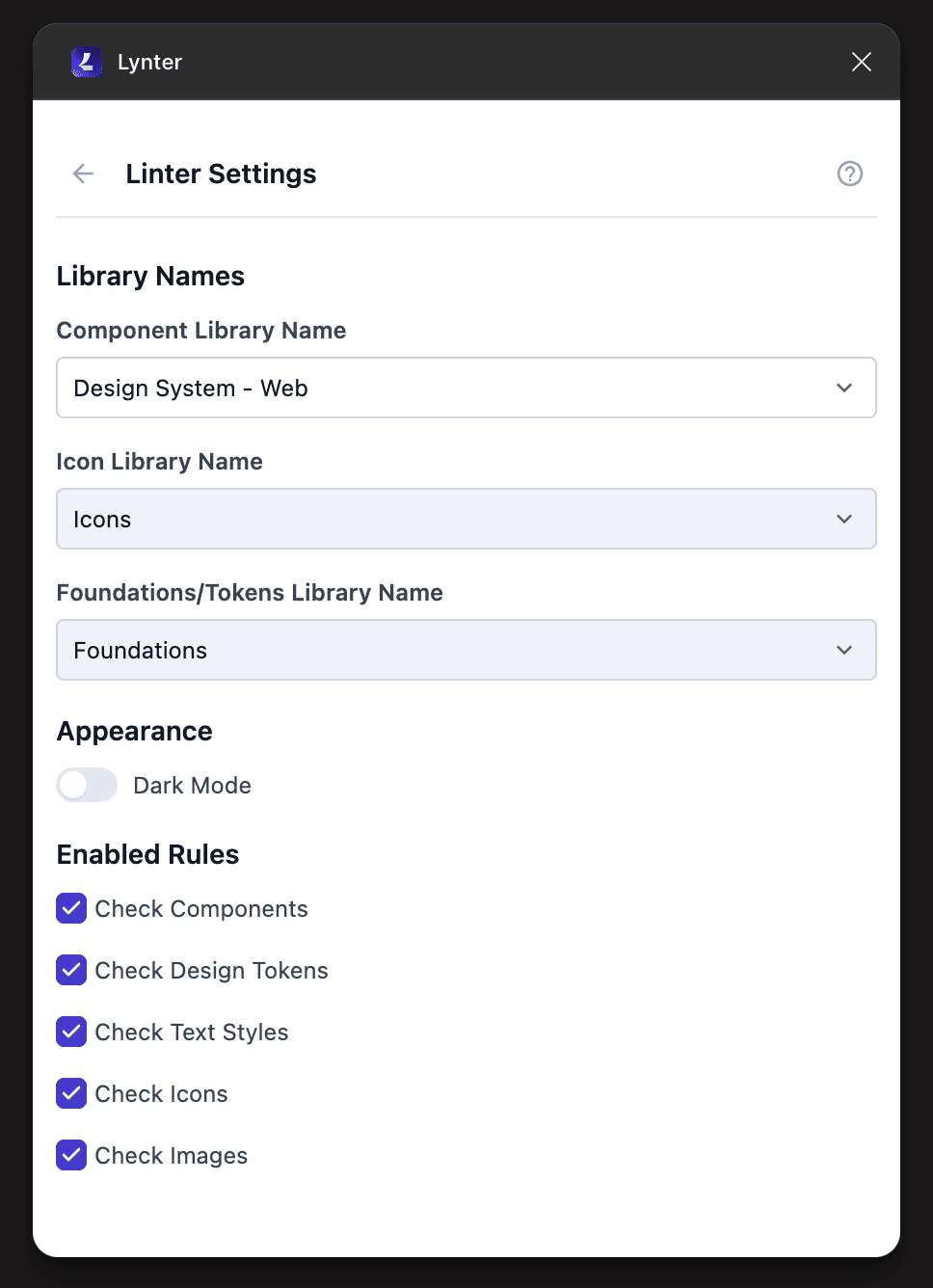
Flexible Configuration
Toggle rules on/off, adjust severity levels—adapt the linter to your workflow.
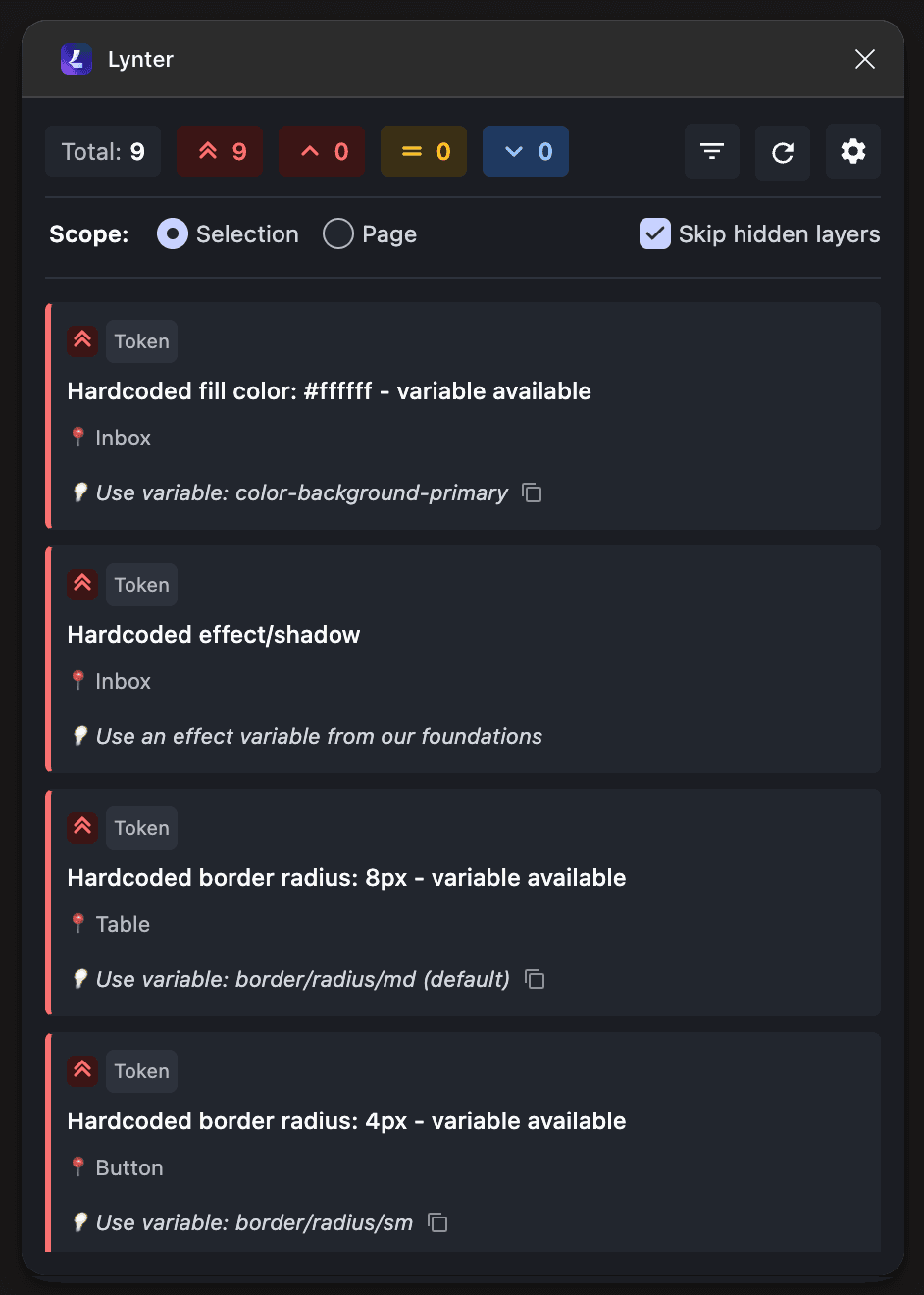
Theme Support
Light and dark modes—matches your Figma environment for reduced eye strain.
Business Impact
Still early days, but the strategic value is clear: shifting quality left and removing manual overhead.
Built with AI Assistance
This plugin was built in 3 days using Claude AI as a coding partner—proving that strategic design tools don't require months of engineering cycles.
Figma Plugin API
Deep integration with Figma's node structure for comprehensive scanning
Custom Rules Engine
Extensible architecture for adding new linting rules as the system evolves
Auto-Fix Capabilities
Programmatic layer manipulation for one-click issue resolution
TypeScript + React
Modern tech stack for rapid iteration and maintainability
The Vibe-Coded Advantage
By leveraging AI-assisted development, I was able to:
- →Go from concept to working prototype in hours, not weeks
- →Focus on design decisions and UX refinement instead of boilerplate
- →Iterate rapidly on rule logic based on real designer feedback
- →Ship production-quality code without a dedicated engineering team
Key Learnings
Automation beats documentation
No amount of Confluence pages will match the effectiveness of automated, in-context feedback. If you want adoption, meet designers where they work.
Speed to value matters
Three days from idea to deployment means we can test the hypothesis fast and iterate based on real usage. AI-assisted development unlocks this velocity.
Start small, prove value
Rather than building a comprehensive linter with 50 rules, I shipped with 5 high-impact rules. Early adoption will inform what to build next.
Need help scaling your design system?
I build tools and infrastructure that make design systems actually work in production.
Let's talk